
Blueprints are the backbone of advanced construction in Lumber Tycoon 2, letting you place transparent planning structures that become solid only after you fill them with planks. Understanding how lumber tycoon 2 blueprints work unlocks everything from clean fence lines to automated lighting systems, and the rotation glitch alone can save you thousands of dollars in vehicle recovery costs. This guide covers placement mechanics, the famous blueprint rotation trick, wiring logic gates, and practical lighting setups that make your base feel alive.
According to the community wiki page on Blueprints, blueprints are consumable items that unlock specific building recipes, and each blueprint has a defined spawn location, purchase price, and rarity tier that determine how players can obtain it.
Understanding Blueprint Placement and the Blueprint Manager
When you buy your first blueprint from Fancy Furnishings inside Wood R Us, the game automatically adds a Blueprint Manager to your inventory. This rolled-up blue sheet of paper holds every blueprint you have ever purchased, and unlike axes it never drops when you die, which makes it one of the safest inventory items in the game. The manager is your central hub for selecting, placing, and deleting blueprint structures without hunting through your backpack.
Blueprints behave differently from normal building materials because they start as transparent ghost structures that cannot be collided with. You can walk straight through an unfilled blueprint, which is why builders use them to plan layouts before committing wood. Once you fill the blueprint with enough planks of the correct wood type, the structure becomes solid and permanent. Interacting with an unfilled blueprint lets you move or delete it, giving you a risk-free way to experiment with base design.
The table below breaks down the four core blueprint states you will encounter, each with distinct collision rules that directly affect how you plan a build: unfilled and partially filled blueprints remain intangible so you can reposition them freely, while a fully filled blueprint locks into place as a permanent structure. This distinction matters because filling a blueprint with the wrong wood type (for example, using Oak planks when the blueprint requires Walnut) will not advance the fill progress, leaving the ghost semi-transparent until you supply the correct material. Builders often exploit the non-collision window to stack multiple blueprints in tight layouts, then fill them one by one to test spacing before committing the full lumber cost.
| Blueprint State | Collision | Interaction | Visual Appearance |
|---|---|---|---|
| Unfilled | None | Move or delete | Transparent ghost |
| Partially filled | None | Move or delete | Semi-transparent |
| Fully filled | Solid | Permanent structure | Opaque and solid |
| Glitched (Gray Wood) | None | Move or delete | Medium gray color |
Gray Wood is a rare glitched blueprint state that appears when a blueprint has no defined wood type assigned to it. According to community data, this medium gray color comes from the absence of an assigned wood type, forcing the wood to render without its normal texture. Gray Wood was only obtainable through specific glitches at various points in Lumber Tycoon 2 history, so treat any Gray Wood blueprint you own as a collector's item rather than a practical building material.
Mastering the Blueprint Rotation Glitch
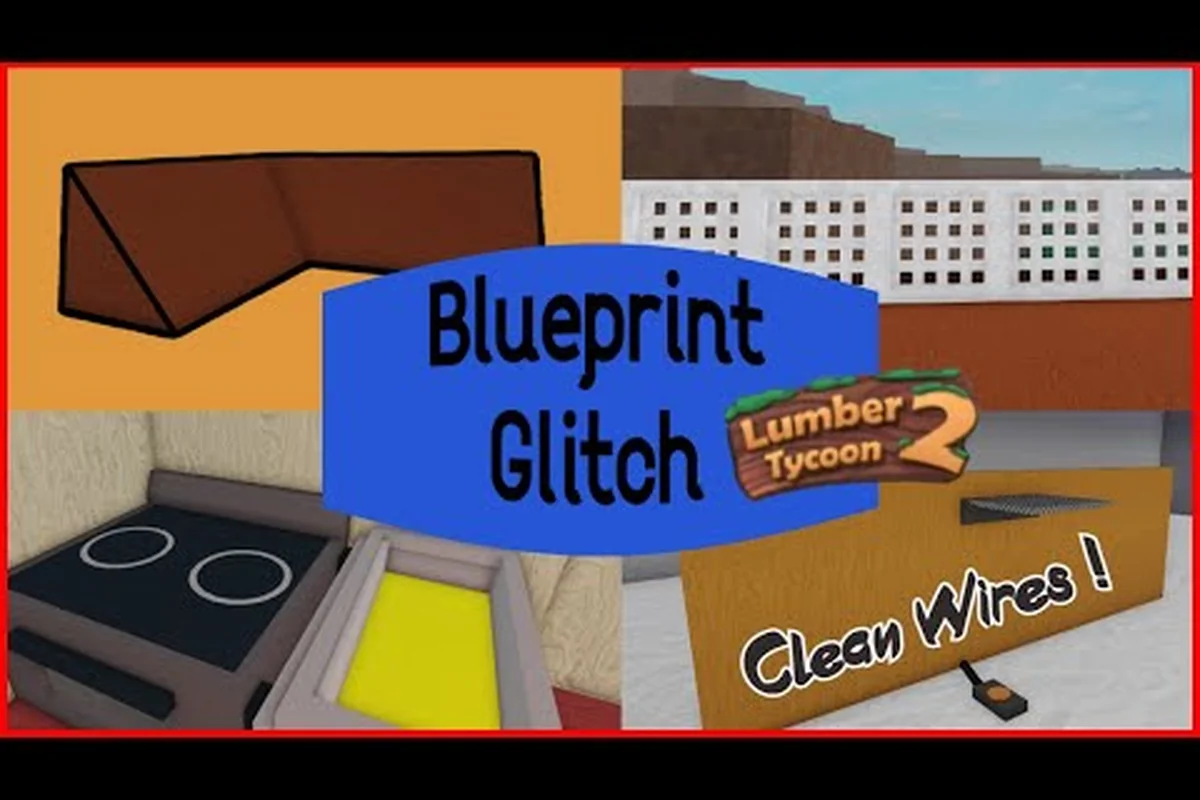
The Blueprint Rotation glitch is one of the most useful unintended mechanics in Lumber Tycoon 2, and experienced players treat it as an essential tool rather than an exploit. The glitch lets you rotate loose items using blueprints, which means you can flip an overturned vehicle back onto its wheels without spending money on a tow or resetting your progress. It also works on boulders, letting you clear the entrance to the Taiga biome without needing dynamite.
This trick becomes vital when you are retrieving items from difficult locations such as Gold Wood or Frost Wood areas, where a flipped truck can strand you miles from your base. The rotation glitch works because unfilled blueprints ignore collision, so you can slide a blueprint underneath a stuck object and then use the blueprint's movement mechanics to apply rotational force. The object inherits some of that force and flips upright.
Here is a step-by-step breakdown of the rotation glitch process: the core principle is that an unfilled blueprint retains full collision-free movement through the world, but the moment you rotate it while it intersects a loose item, the blueprint's rotational matrix applies torque to that item's physics body. This is why the glitch works on overturned vehicles and boulders alike: the game's physics engine treats the blueprint's bounding box as a solid force vector during rotation, even though the blueprint itself has no collision when placed. The most reliable timing is to begin rotating immediately after the blueprint's ghost preview snaps into position under the item, because waiting too long lets the item settle back into its stuck pose.
| Step | Action | Key Detail |
|---|---|---|
| 1 | Open Blueprint Manager | Select any cheap blueprint |
| 2 | Position blueprint under object | Slide into the stuck item |
| 3 | Rotate the blueprint | Use movement controls to spin it |
| 4 | Watch the object react | It flips or shifts position |
| 5 | Delete the blueprint | Clean up after success |
The rotation glitch is particularly effective on vehicles because their physics engine responds strongly to the force applied by a rotating blueprint. Community testing shows that larger vehicles may require multiple blueprint placements to fully right themselves, while smaller items like loose logs often flip on the first attempt. Because the glitch relies on unfilled blueprint collision behavior, it works best with cheap blueprints you do not mind placing and deleting repeatedly.
Wiring Logic Gates and the OR Gate
The lumber tycoon 2 logic system lets you connect switches, sensors, and outputs using wires, creating automated behaviors that would be impossible with manual interaction alone. The most commonly used logic component is the OR gate, which outputs a signal when any one of its inputs is active. This makes the OR gate perfect for setups where you want multiple triggers to control the same output, such as two different switches that both open the same door.
Wiring in Lumber Tycoon 2 follows a simple rule: you connect an input device to a logic gate, then connect the gate to an output device. The lumber tycoon 2 or gate specifically accepts multiple input signals and passes power through if at least one input is active. This differs from an AND gate, which requires all inputs to be active simultaneously. Understanding this distinction is the foundation of any complex wiring project.
The table below compares common logic gate behaviors, and each gate’s truth table maps directly to a wiring pattern you can replicate in any lumber tycoon 2 blueprints build. The OR gate is the most forgiving for beginners because a single active neon wire input is enough to energize the output, whereas the AND gate forces you to run parallel input lines that must all carry current simultaneously. This distinction matters when you are routing lumber tycoon 2 wiring through tight base layouts: an OR gate lets you daisy-chain multiple lumber tycoon 2 fence switches without worrying about whether all trigger conditions are met at the same moment, while the XOR and NOT gates introduce edge cases that can leave your lumber tycoon 2 lights dark if you misread the input state.
| Gate Type | Output Active When | Best Use Case |
|---|---|---|
| OR gate | Any input is active | Multiple triggers for one output |
| AND gate | All inputs are active | Safety interlocks |
| XOR gate | Exactly one input is active | Toggle circuits |
| NOT gate | Input is inactive | Inverted logic |
When you wire a lumber tycoon 2 or gate into a lighting system, you can place switches at multiple entrances to your base and have any one of them turn on the same set of lights. The wiring itself uses neon wires that connect components visually, and you can see the signal flow by watching the wire color change when powered. For a deeper look at base file logic and XOR gate setups, the Lumber Tycoon 2 base file guide covers advanced circuit patterns that build on these fundamentals.
Practical Lighting and Fence Setups
Lumber tycoon 2 lights are among the most satisfying outputs to wire because they give immediate visual feedback when your logic works correctly. You can place lights as standalone fixtures or attach them to blueprints, then run wires from a switch or sensor to control when they turn on. A well-lit base not only looks impressive but also helps you navigate at night when visibility drops.
The simplest lighting setup uses a single switch wired directly to a light, but the real power comes from combining multiple lights with logic gates. For example, you can wire a pressure plate at your base entrance to an OR gate, then connect that gate to a string of lights along your driveway. When any pressure plate triggers, the entire path lights up automatically.
Lumber tycoon 2 fence blueprints are another popular building element because they let you define property boundaries without placing individual fence posts. Fence blueprints work like any other blueprint: place the transparent ghost structure, fill it with planks, and it becomes a solid barrier. The advantage of using fence blueprints over manual fence placement is consistency, since every section lines up perfectly with the next.
The table below shows common lighting and fence combinations, but the real depth comes from understanding how each row maps to a specific lumber tycoon 2 blueprint workflow. For instance, the manual switch light row assumes you have already placed a light blueprint with its wire connection node exposed, because lights without a blueprint anchor cannot receive direct wire input. Similarly, the fence blueprint row depends on the lumber tycoon 2 fence ghost structure remaining intact until every plank slot is filled; if you leave even one plank missing, the fence section stays transparent and blocks no movement. Players who rush the filling stage often end up with invisible gaps along their property line, which defeats the purpose of using fence blueprints for consistent boundaries. The OR gate multi-switch row, meanwhile, is the most wiring-intensive setup in the table because each switch must connect to a separate input node on the lumber tycoon 2 OR gate, and reversing the input order can cause the gate to read a constant "on" signal if a wire crosses another wire's path.
| Setup | Components | Result |
|---|---|---|
| Manual switch light | Switch + wire + light | On-demand illumination |
| Pressure plate light | Plate + wire + light | Automatic trigger |
| OR gate multi-switch | 2 switches + OR gate + lights | Any switch controls all lights |
| Fence blueprint row | Multiple fence blueprints | Uniform boundary line |
When you combine lumber tycoon 2 lights with fence blueprints, you can create a perimeter that is both visually defined and functionally illuminated. Place fence blueprints along your property line, then run lights on top of or beside the fence sections. Wire the lights through an OR gate connected to switches at each gate entrance, and you have a base that lights up from any approach direction.
Advanced Blueprint Strategies and Super Blueprints
Super Blueprints, also known as The Power to Build With Ease or Golden Blueprints, are a premium feature added on September 23, 2017. You can purchase a single Super Blueprint slot from the Strange Man for in-game currency, or unlock all six slots with the Super Blueprints Gamepass for 720 Robux. Super Blueprints purchased from the Strange Man will be removed if you leave the game, so the Gamepass is the permanent option for serious builders.
The main advantage of Super Blueprints is that they let you place and fill blueprints much faster than the standard method. Instead of manually walking to each blueprint and filling it plank by plank, Super Blueprints streamline the process so you can build large structures in a fraction of the time. This is especially valuable when you are working with fence lines or lighting arrays that require dozens of individual blueprint placements.
The practical differences go beyond raw speed: standard blueprints are tied to your Blueprint Manager slots and require you to physically walk to each ghost outline, open the fill UI, and confirm plank placement one at a time. Super Blueprints collapse that loop into a single rapid-fill action per blueprint, which compounds dramatically on projects like a 40-section fence line or a lighting array with 20+ individual light blueprints — what might take 10 minutes of walking and clicking with standard blueprints drops to under 2 minutes with Super Blueprints. The table below breaks down the exact feature-by-feature comparison:
| Feature | Standard Blueprint | Super Blueprint |
|---|---|---|
| Placement speed | Manual, slower | Streamlined, faster |
| Slot availability | Unlimited via manager | 1 or 6 slots |
| Cost | Varies by blueprint | In-game currency or 720 Robux |
| Persistence | Permanent | Gamepass version permanent |
For builders who want to understand how blueprint limits interact with your overall construction capacity, the Lumber Tycoon 2 blueprint manager guide explains build limits and file management in detail. Knowing your limits before you start a large fence or lighting project prevents the frustration of hitting a cap halfway through.
Frequently Asked Questions
How do I get the Blueprint Manager in Lumber Tycoon 2?
The Blueprint Manager appears automatically in your inventory after you purchase your first blueprint from Fancy Furnishings in Wood R Us. It cannot be dropped or lost on death, unlike axes, so you always have access to your purchased blueprints. The manager stores every blueprint you own in one convenient location.
Can I move a blueprint after placing it?
Yes, unfilled blueprints can be moved or deleted when you interact with them. Once you fill a blueprint with enough planks, it becomes a solid structure and can no longer be moved. Plan your placement carefully before filling, or use the unfilled state to experiment with layouts risk-free.
What is the easiest way to flip an overturned vehicle?
The Blueprint Rotation glitch is the easiest method. Place an unfilled blueprint underneath the overturned vehicle, rotate the blueprint using movement controls, and the vehicle will flip upright. This works because unfilled blueprints ignore collision, letting you apply rotational force to stuck objects without dynamite or towing costs.
How does the OR gate work in Lumber Tycoon 2 wiring?
The OR gate outputs a signal when any one of its inputs is active. Connect multiple switches to the OR gate inputs, then wire the gate output to your lights or doors. Any switch will activate the output, making it ideal for multi-entrance bases where you want redundant control points.
Are Super Blueprints worth the Robux cost?
For serious builders, the Super Blueprints Gamepass is worth it because it permanently unlocks all six slots and dramatically speeds up blueprint placement. The in-game currency version from the Strange Man is temporary and removed when you leave, so only buy that if you need a short-term building boost.
Blueprint mastery transforms Lumber Tycoon 2 from a simple logging game into a full construction sandbox. The rotation glitch saves you from stranded vehicles, logic gates automate your lighting, and fence blueprints give your base clean, professional boundaries. Start with a simple OR gate lighting circuit, practice the rotation trick on a loose log, and build up to Super Blueprints when you are ready to scale your projects.