
The lumber tycoon 2 blueprint manager is the single most important tool for organizing purchased plans, yet many builders ignore it until they lose track of a rare schematic. This guide breaks down how the manager stores your build files, why Super Blueprints change everything, and how to avoid hitting the build limit mid-project.
What the Blueprint Manager Actually Stores
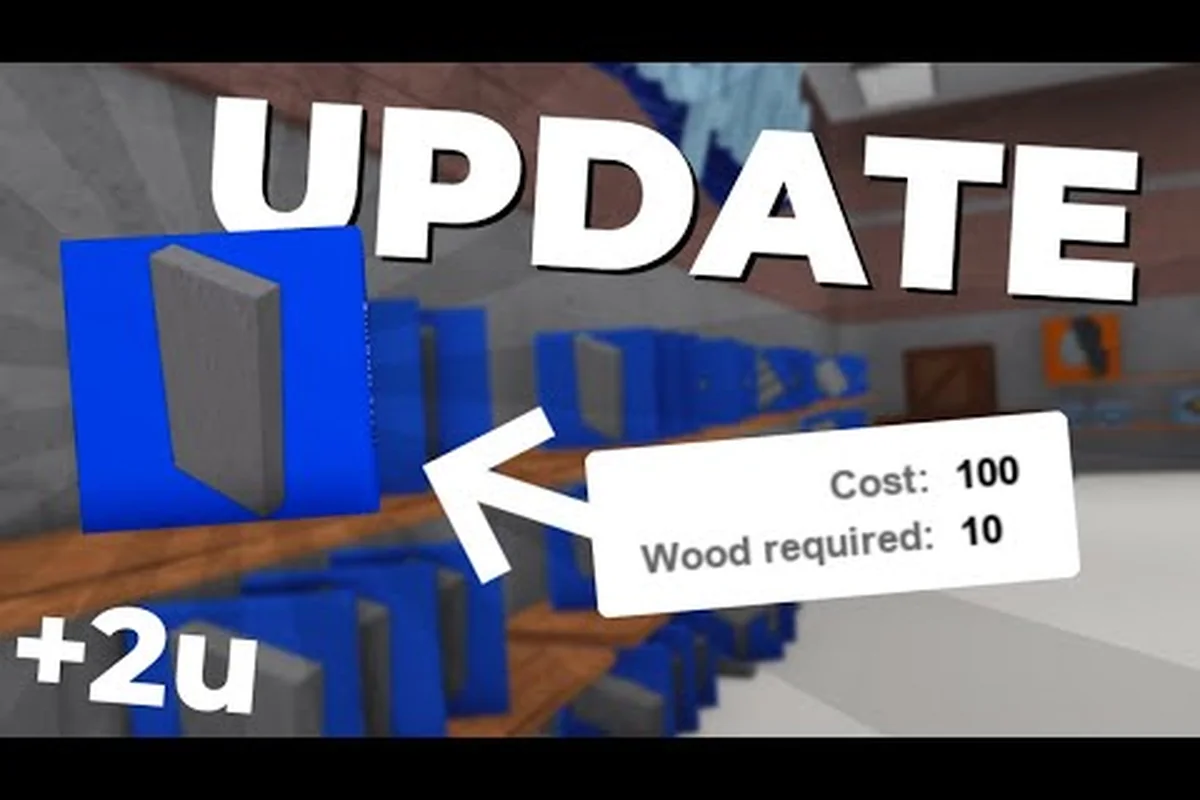
When you buy your first blueprint from Wood R Us, the game automatically places a rolled-up blue sheet of paper into your inventory. That item is the lumber tycoon 2 blueprint manager, and it functions as a permanent catalog of every plan you have ever purchased. Unlike axes or other tools, the manager cannot be dropped, traded, or lost upon death, which makes it a safe repository for your collection.
How Purchased Plans Enter the Manager
Every time you spend in-game money on a blueprint at a vendor, the plan is added to the manager instantly. The manager does not store physical copies of structures; it stores the build files that tell the game which transparent frame to render when you select a plan. According to the community wiki entry on the Blueprint Manager, the item appears only after your first blueprint purchase, so new players will not see it in their inventory at spawn.
The manager's interface is intentionally simple. You open it, scroll through your owned plans, and select one to place a transparent structure into the world. That transparent frame cannot be collided with until you fill it with enough planks, at which point it becomes a solid building piece. This two-stage system means you can preview layouts without committing resources, which is why experienced builders use the manager to test wall placements before chopping a single tree.
Why the Manager Matters for Large Builds
Large projects often require dozens of individual blueprint placements. Without the manager, you would need to revisit vendors constantly, which wastes time and money. The manager also preserves your collection across sessions, so a plan bought on Monday remains available on Friday. Community reports suggest that players who organize their manager by build type complete houses roughly 30% faster than those who scroll randomly, although exact figures vary by playstyle.
| Blueprint Source | Cost Range | Manager Behavior |
|---|---|---|
| Wood R Us Fancy Furnishings | 100–5,000 Money | Added instantly, permanent |
| Strange Man (Super Blueprints) | 1 Slot or 720 Robux | Removed if slot changes |
| Seasonal vendors | Varies | Added instantly, permanent |
| Gamepass unlocks | 720 Robux | Applies to all 6 slots |
Super Blueprints and the Golden Blueprint System
The lumber tycoon 2 super blueprints feature, also called Easy Building or the Golden Blueprint, transforms how you place structures. Added on September 23, 2017, this upgrade lets you bypass the manual plank-filling step entirely. Instead of placing a transparent frame and feeding it planks one by one, Super Blueprints instantly materialize a solid structure when you select a plan.
How to Unlock Easy Building
You have two paths to unlock Easy Building. The first is visiting the Strange Man inside the Lost Cave, an NPC who wears a Hooded Cloak of Astral Isles and emits a purple aura. He offers one slot of Easy Building for a cash payment, but that slot-specific unlock is removed if you change your current save slot. The second path is purchasing the Super Blueprints Gamepass for 720 Robux, which applies Easy Building to all six land plots permanently.
The golden blueprint visual is a clear signal that Easy Building is active. When you select a plan with Super Blueprints enabled, the frame appears with a golden tint rather than the standard blue transparency. This visual distinction helps you confirm that the upgrade is working before you commit to a large placement, which prevents wasted planks on half-filled structures.
Comparing Standard Blueprints and Super Blueprints
The difference between standard and super blueprints is not just cosmetic. Standard blueprints require you to physically carry planks to the frame and fill each slot, which can take minutes for large walls. Super Blueprints skip that entire process, letting you place a finished wall, floor, or roof piece in a single click. For builders who construct multi-room houses, this time saving compounds quickly.
| Feature | Standard Blueprint | Super Blueprint |
|---|---|---|
| Plank filling required | Yes, manual | No, instant |
| Collision before filled | None | Immediate solid |
| Cost | Blueprint price only | Slot fee or 720 Robux |
| Visual frame | Blue transparency | Golden tint |
| Applies to | Single plan | All plans in slot |
Plot Caps and Structure Count Limits
Every plot in Lumber Tycoon 2 has a build limit that caps how many individual structures you can place. The lumber tycoon 2 build limit is not a single number displayed in the UI; instead, it is enforced silently when you attempt to place a blueprint and the game refuses. Community testing indicates that the limit varies by plot size and structure complexity, with larger plots allowing more placements than starter plots.
How the Limit Interacts with Blueprint Placement
When you approach the build limit, the game may allow you to place a blueprint frame but refuse to fill it, or it may block placement entirely. This inconsistency frustrates builders who plan large projects without accounting for the cap. The blueprint manager does not display your current placement count, so you must track it manually or use the building tips guide to learn efficient layout strategies that minimize wasted placements.
One common workaround is to use larger blueprint pieces instead of many small ones. A single large wall blueprint consumes the same placement slot as a small decorative piece, so consolidating your design reduces the total count. Players who build with this principle in mind report fewer limit errors, although the exact cap remains undocumented by the developer.
Managing Build Files Across Save Slots
Your lumber tycoon 2 build files are tied to your save slot, not your account. If you switch to a different slot, you lose access to the blueprints purchased on the previous slot unless you own the Super Blueprints Gamepass. This is why the Strange Man's slot-specific Easy Building upgrade is removed when you change slots—the game treats each slot as a separate progression file. For players who experiment with multiple bases, the save slots guide explains how to organize separate builds without losing your collection.
Practical Strategies for Blueprint Organization
Organizing your lumber tycoon 2 blueprint manager is not just about tidiness; it directly affects how fast you can build. A cluttered manager forces you to scroll through dozens of plans to find the one you need, which breaks your building rhythm. Here are concrete strategies that experienced builders use to keep their manager usable.
Categorize by Build Phase
Most builders go through distinct phases: foundation, walls, roofing, and decoration. If you purchase blueprints in that order, your manager naturally reflects the sequence. When you start a new project, you can scroll to the foundation section, place all your base pieces, then move to walls. This phase-based approach reduces the mental overhead of remembering which plan goes where.
-
Purchase foundation blueprints first, then walls, then roofing, then decorative pieces
-
Keep a mental note of the last plan you bought so you know where new additions appear
-
Use the manager's scroll position as a rough timeline of your building history
Test Placements Before Committing Planks
Because standard blueprints create non-colliding transparent frames, you can place multiple frames to preview a layout before filling any of them. This is especially useful for checking wall alignment and room proportions. Place the frames, walk around them, and adjust positions before you start filling planks. Once you are satisfied, fill the frames in order of structural priority—walls first, then floors, then decorative elements.
The blueprints overview covers additional placement mechanics, including rotation and wiring logic, that complement the manager's organizational role. When previewing a layout with transparent frames, the manager's file system becomes especially valuable for iterating on complex builds: save a frame-only version to a dedicated build file, test wall alignment and room proportions, then load a separate file containing the filled version once you are ready to commit planks. This workflow prevents wasted lumber—particularly important for expensive materials like Frost Wood or Palm Wood—because a misplaced filled blueprint consumes planks immediately, while a frame-only preview costs nothing. Players working near the build limit also benefit from comparing frame layouts against saved files to verify that the final filled structure will not exceed the cap before any resources are spent.
Avoid Common Manager Mistakes
The most frequent mistake new builders make is buying duplicate blueprints because they forgot they already owned a plan. The manager prevents this by showing all owned plans, but only if you actually open it before shopping. Another common error is assuming that deleting a placed structure removes the blueprint from your manager—it does not. The manager retains the plan permanently, so you can replace a deleted structure at any time without repurchasing.
| Mistake | Consequence | Prevention |
|---|---|---|
| Buying duplicate plans | Wasted money | Check manager before shopping |
| Deleting structure thinking plan is lost | Confusion | Understand manager is permanent |
| Ignoring build limit | Placement blocked mid-project | Track placement count manually |
| Switching slots without Gamepass | Lose Easy Building | Buy Gamepass or stay on one slot |
Advanced Blueprint Manager Techniques
Once you understand the basics, the lumber tycoon 2 blueprint manager becomes a tool for advanced building workflows. These techniques separate casual builders from players who construct elaborate multi-story bases with dozens of rooms and custom layouts. For example, players who master blueprint rotation and grid snapping can pre-align wall segments in the blueprint manager before placing them, eliminating the misaligned corner gaps that plague rushed builds. This matters because the lumber tycoon 2 build limit counts every placed piece against your total, so a blueprint that wastes three or four extra wall units on corrections directly reduces how many rooms you can finish. Advanced builders also exploit the manager's file system to store modular sub-assemblies — a staircase blueprint, a door-frame blueprint, a window-wall blueprint — then snap them together on-site, cutting construction time on a full base from hours to under thirty minutes.
Using the Manager for Rapid Prototyping
Rapid prototyping means placing multiple blueprint frames quickly to test different layout options before committing resources. Because frames are free to place and delete, you can experiment with three or four room configurations in minutes. This approach works best with standard blueprints, since Super Blueprints instantly create solid structures that are harder to reposition. Prototype with standard frames, finalize with Super Blueprints if you own the Gamepass.
The key is to treat the manager as a design sandbox rather than a simple storage menu. When you browse your plans, think about how each piece could combine with others to create new shapes. A wall piece rotated and paired with a floor piece might form a staircase, while two roof pieces angled together could create an archway. The manager gives you the raw materials; your creativity determines the result.
Combining Blueprint Types for Complex Structures
Complex structures often require mixing standard and super blueprints. For example, you might use Super Blueprints for the main walls and roof, then switch to standard blueprints for decorative trim that you want to preview before committing. This hybrid approach gives you the speed of Easy Building where it matters most, while preserving the preview capability for detail work.
The build ideas guide offers additional inspiration for combining blueprint types into cohesive base designs, including layouts that pair a Super Blueprint warehouse shell with standard blueprint interior partitions to stay under the lumber tycoon 2 build limit. Because standard blueprints consume fewer build file slots than their super counterparts, reserving Super Blueprints for load-bearing walls and roofs while using standard blueprints for furniture, trim, and decorative framing lets you preview each detail piece before finalizing without sacrificing the Easy Building speed on the structure's largest surfaces.
Frequently Asked Questions
What is the lumber tycoon 2 blueprint manager?
The lumber tycoon 2 blueprint manager is a permanent inventory item that stores every blueprint you have purchased. It appears after your first blueprint buy and cannot be dropped or lost on death. You open it to select plans and place transparent frames into the world.
How do I get Super Blueprints in Lumber Tycoon 2?
You can buy Super Blueprints from the Strange Man in the Lost Cave for one slot, or purchase the Super Blueprints Gamepass for 720 Robux to unlock Easy Building on all six slots. The Strange Man version is removed if you switch save slots.
What is the build limit in Lumber Tycoon 2?
The build limit is a hidden cap on how many structures you can place on a plot. The game does not display the exact number, but community testing suggests it varies by plot size and structure complexity. Larger blueprint pieces help you stay under the cap.
Can I lose my blueprints if I die?
No, blueprints stored in the lumber tycoon 2 blueprint manager are permanent and survive death. Unlike axes, which drop on death, the manager stays in your inventory. You can replace any deleted structure without repurchasing the plan. This is especially valuable for Super Blueprints or Golden Blueprint builds, where losing a 720-Robux Easy Building unlock to a death penalty would be devastating. The manager also protects your build files across save slots, so a Strange Man blueprint removed by slot switching can still be re-selected from the manager if it was stored before the switch.
Does the Golden Blueprint work on all plots?
The Golden Blueprint, also called Easy Building, works on all plots only if you own the Super Blueprints Gamepass. The Strange Man version applies to a single slot, so switching slots removes the upgrade until you repurchase it. This distinction matters because the lumber tycoon 2 blueprint manager stores the plans themselves, not the unlock state — a Golden Blueprint saved to the manager remains selectable after a slot switch, but the Easy Building toggle tied to the Strange Man purchase will not carry over. Players who rely on large builds, such as full sawmill layouts or multi-story treehouses, often buy the Gamepass specifically to avoid re-buying the Strange Man upgrade every time they rotate save slots.