
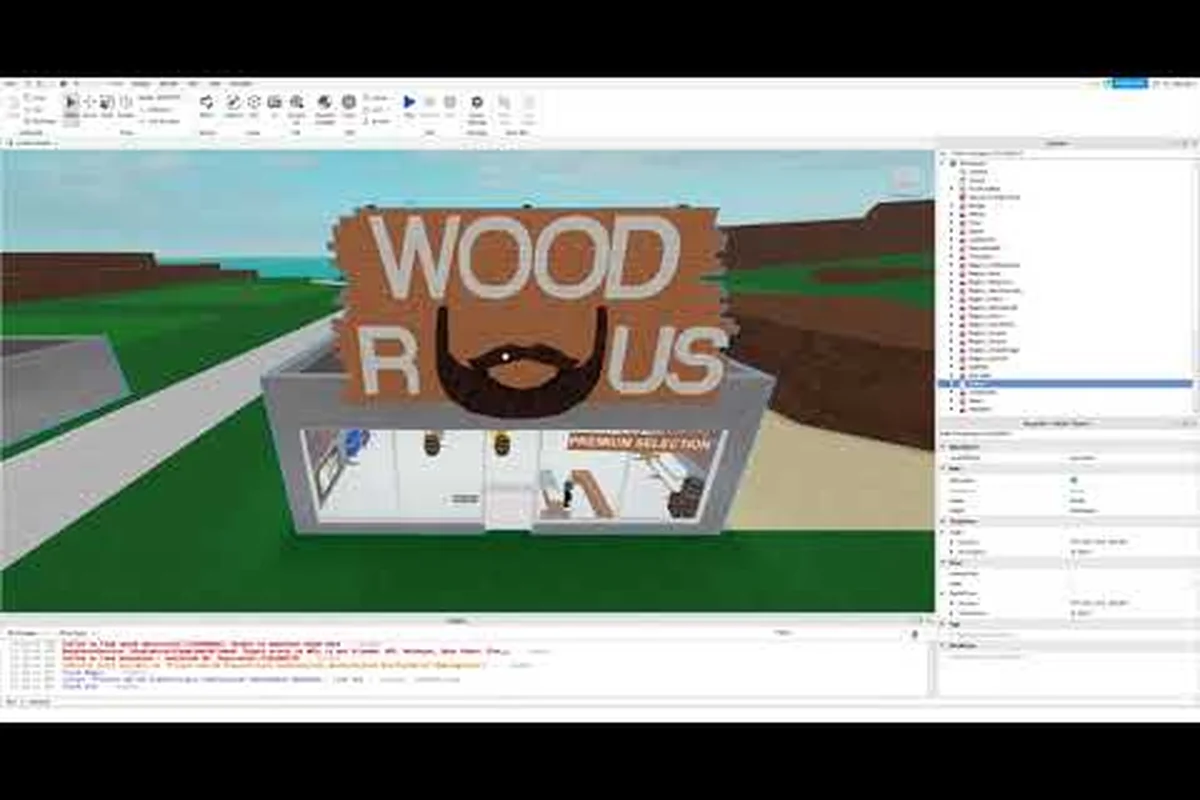
The question of whether Lumber Tycoon 2 is uncopylocked has circulated through the Roblox community for years, and the answer is more nuanced than a simple yes or no. Defaultio, the game's developer, has never released the full source code to the public, but a series of events—including an official high-risk clone and a major 2017 leak—have made large portions of the game's inner workings accessible. Understanding this landscape matters because it directly affects how you experience the game, what risks you accept, and how you can legally explore the code and music that define Lumber Tycoon 2.
What Does Uncopylocked Mean for Lumber Tycoon 2
In Roblox terminology, an uncopylocked game is one where the developer has enabled the "Allow Copying" setting, letting any player open the place in Roblox Studio and inspect or duplicate the full source. Lumber Tycoon 2 has never been uncopylocked in this official sense. Defaultio has kept the main experience locked since its release, which means the average player cannot simply open the game in Studio and browse every script, model, and asset that powers Lumberland.
However, the community frequently uses the term "uncopylocked" loosely to describe any version of the game whose code has become publicly accessible. This is where the confusion starts. There are two distinct paths that have made Lumber Tycoon 2's source available: an official release called Lumber Unsecure and a pirated leak from March 2017. Both are real, but they carry very different implications for players who want to explore the game's architecture.
The table below breaks down the key differences between the main game, the official unsecure version, and the leaked source, because each variant handles DataStore persistence, FilteringEnabled replication, and RemoteEvent validation in fundamentally different ways — a player who loads the March 2017 leak sees every server-side Script that normally runs hidden on Roblox's infrastructure, while Lumber Unsecure only exposes the client-side LocalScript layer that governs axe swing animations, tree growth timers, and the Wood R Us storefront UI.
| Version | Official? | Full Source Available? | Security Level | Primary Use |
|---|---|---|---|---|
| Lumber Tycoon 2 (Main) | Yes | No | High | Normal gameplay |
| Lumber Unsecure | Yes | No (client only) | Low | High-risk play, testing |
| March 2017 Leak | No | Yes (server + client) | None | Exploit development, study |
The distinction matters because opening an unsecure version exposes you to exploits that the main game actively blocks. Players who choose Lumber Unsecure accept a higher-risk environment in exchange for freedom from certain anti-cheat measures, while those who download the 2017 leak are handling pirated material that violates Roblox's terms of service.
The Official Lumber Unsecure Experience
On June 27, 2022, Defaultio released Lumber Unsecure, an official clone of Lumber Tycoon 2 that strips away the security improvements present in the main game. According to the Lumber Unsecure page on the community wiki, the developer described it as a version "without security improvements" intended to satisfy players who prefer a higher-risk environment. The place has accumulated over 1.2 million visits since launch, which shows genuine demand for this kind of experience.
Lumber Unsecure is not technically uncopylocked. You cannot open it in Roblox Studio and copy the full source, because the server-side scripts remain protected. What you get instead is a gameplay environment where many of the client-side restrictions are relaxed. This means certain exploits and modifications that would be blocked in the main game may function here, which is precisely why Defaultio framed it as a higher-risk option rather than a sandbox for learning.
Why Players Choose Lumber Unsecure
The motivations for playing Lumber Unsecure vary widely across the community. Some players use it to test mechanics without worrying about anti-cheat interference, while others simply enjoy the freedom of a less restricted environment. Community reports suggest that the unsecure version also attracts players who want to experiment with scripts or mods that alter the client experience, though these activities still carry account-level risks on Roblox.
Here are the primary reasons players cite for using Lumber Unsecure: the most commonly reported motivation is bypassing the anti-cheat layer that the main Lumber Tycoon 2 experience enforces, which allows script developers to observe client-side behavior in a controlled way before testing on live servers. Others point to the unsecure version's relaxed enforcement of certain interaction limits — such as tree-cutting radius checks or vehicle placement constraints — as a practical way to prototype building layouts without burning in-game currency on misplaced blueprints. A smaller but vocal group treats Lumber Unsecure as an archival curiosity, comparing its older client build against the current version to document how mechanics like sawmill processing timers or the Wood R Us delivery loop have shifted across updates.
-
Exploit testing: Script developers can test client-side modifications without triggering the main game's security systems
-
Relaxed restrictions: Certain movement or interaction limits are less strictly enforced
-
Curiosity: Players want to see how the game behaves without its protective layers
-
Nostalgia: Some players prefer the feel of an older, less hardened version of the game
It is important to understand that Lumber Unsecure does not grant access to the game's source code. If your goal is to study how Lumber Tycoon 2 is built, the unsecure version will only show you what the client already receives during normal play. The real source code exposure came from a different event entirely.
The March 2017 Game Leak Explained
The most significant event in the "is Lumber Tycoon 2 uncopylocked" conversation is the March 2017 Game Leak. Unlike client-side save instances that only capture what a player's device receives, this leak contained the entire source code, including server-side scripts that are normally hidden from players. According to the March 2017 Game Leak documentation, the leak enabled advanced exploit development, reuploaded clones of Lumber Tycoon 2, and revealed the game's inner workings to the broader community.
This leak was not authorized by Defaultio. It was a pirated version of the source code from March 2017, which means it represents a snapshot of the game from that specific period. Many features, maps, and mechanics have changed since then, so the leaked code is both outdated and incomplete relative to the current live version. Still, it gave exploit developers and curious players unprecedented insight into how the game functions under the hood.
What the Leak Contains
The March 2017 leak includes the full Roblox place file with all scripts, models, and assets that existed at that time. This is fundamentally different from a client-side save instance, which only captures the rendered world and local scripts. With the full source, someone could theoretically rebuild a functional copy of Lumber Tycoon 2 from that era, complete with server-side logic for tree growth, sawmill processing, and money handling.
The table below compares what different access methods actually reveal about the game, and the distinction matters more than most players realize: a normal gameplay session only exposes the rendered client view — you see trees fall and sawmills spin, but the server-side TreeGrowth module, SawmillProcessing logic, and the MoneyHandler script that validates wood sales remain hidden on Defaultio's servers. A client save instance captures the local models and client scripts, but it still lacks the authoritative server code that governs economy and progression. Only the March 2017 leak exposes the full ServerScriptService hierarchy, including the WoodDropService, BlueprintService, and the anti-duplication checks that normally run invisibly during every transaction.
| Access Method | Server Scripts | Client Scripts | Models & Assets | Legality |
|---|---|---|---|---|
| Normal Gameplay | No | Partial (rendered) | Partial (rendered) | Fully legal |
| Client Save Instance | No | Yes | Yes | Gray area |
| March 2017 Leak | Yes | Yes | Yes | Illegal (pirated) |
| Lumber Unsecure | No | Partial (rendered) | Partial (rendered) | Legal (official) |
The leak's impact on the community was substantial. It led to a wave of reuploaded clones that attempted to replicate the Lumber Tycoon 2 experience, most of which were eventually taken down by Roblox moderation. It also gave exploit developers a foundation for creating scripts that could manipulate the game in ways that were previously impossible, which forced Defaultio to invest more heavily in security for the main experience.
Exploring Lumber Tycoon 2 Music and OST
One of the most frequently discussed aspects of Lumber Tycoon 2's code and assets is its music. Unlike the original Lumber Tycoon, which had minimal audio, the sequel features a constantly playing soundtrack that shifts as you move through different areas of Lumberland. The Music page on the community wiki explains that invisible blocks called music regions are scattered throughout the map, and these regions trigger different tracks when players enter specific biomes and stores.
The Lumber Tycoon 2 OST has become iconic within the Roblox community. Tracks like the main theme and the various biome-specific melodies are instantly recognizable to long-time players, and many have sought to extract or download these audio files for personal listening. The music system is one of the most technically interesting parts of the game's code, because it relies on spatial triggers rather than a simple looping playlist.
How Music Regions Work
The music region system is a clever piece of game design that creates a seamless audio experience. Each region is an invisible box placed in the world, and when a player's character enters that box, the game switches the currently playing track. Some areas, particularly cliffsides, have no defined music region, which means the previous track continues playing until the player enters a new region. This creates natural audio transitions that match the visual environment.
Here is a breakdown of the music behavior across different areas: The implementation relies on invisible trigger boxes whose boundaries do not always align with the visual terrain, which is why a player chopping trees on the edge of the Volcano biome may still hear the previous zone's track until they step fully past the region's threshold. In an uncopylocked build, these region definitions are stored as part of the game's map data, making it possible to inspect or modify the exact coordinates of each music box — a common first project for scripters who want to add custom audio cues to their own Lumber Tycoon 2 server.
-
Biomes: Each major biome (like the Volcano or the Tropics) has its own music region with a distinct track
-
Stores: Entering a shop like Wood R Us or Bob's Shack triggers a store-specific track
-
Cliffsides: Many elevated areas lack music regions, so tracks bleed over from adjacent zones
-
Transitions: Moving between regions causes a crossfade or immediate switch depending on the implementation
Players who want to listen to the Lumber Tycoon 2 OST outside the game have several options. The audio files can be extracted from the game's assets using Roblox's asset delivery system, though this requires some technical knowledge. Community uploads of the soundtrack also exist on platforms like YouTube, where fans have compiled full OST playlists for easy listening.
Lumber Tycoon 2 Settings and Configuration
Beyond the music and source code, many players search for information about Lumber Tycoon 2 settings—both in-game options and the broader configuration choices that affect the experience. The game itself has a relatively simple settings menu compared to modern Roblox titles, but there are several important options that can significantly impact your gameplay, especially if you are playing on a lower-end device or in a high-risk environment like Lumber Unsecure.
The in-game settings menu in Lumber Tycoon 2 includes options for graphics quality, camera behavior, and audio levels. These settings are stored locally on your device, which means they persist across sessions but do not sync between different devices. Understanding how these settings work can help you optimize performance, particularly in busy servers where many players are running sawmills and vehicles simultaneously.
Key Settings to Adjust
Players who want to improve their experience should focus on a few specific settings. Graphics quality has the biggest impact on performance, especially on mobile devices or older computers. Lowering this setting can dramatically improve frame rates in crowded areas, though it also reduces visual detail. Camera sensitivity and zoom behavior are also worth adjusting, since the default values can feel sluggish when you are trying to precisely position logs on a sawmill.
The table below summarizes the most impactful settings and their effects: each row pairs a specific menu option with its recommended adjustment and the measurable outcome players can expect. For example, lowering Graphics Quality from Auto on a mobile device prevents the frame-rate drops that occur when multiple trailers and loose logs render simultaneously near the Wood R Us entrance, while raising Camera Sensitivity above the default Medium value lets you snap your view between the sawmill’s cutting blade and the conveyor output without overshooting. Music Volume and SFX Volume operate independently, so muting the lumber tycoon 2 music track does not silence the audible cues from the sawmill or the axe swing feedback that helps you confirm a successful chop. Shift Lock, which defaults to Off, changes character movement from camera-relative to absolute directions — a critical adjustment when you are aligning planks on a blueprint or walking backward while dragging a heavy log down the mountain path.
| Setting | Default | Recommended Adjustment | Impact |
|---|---|---|---|
| Graphics Quality | Auto | Lower on mobile/older PCs | Frame rate, visual detail |
| Camera Sensitivity | Medium | Increase for faster turning | Precision, responsiveness |
| Music Volume | Full | Reduce if distracting | Audio experience |
| SFX Volume | Full | Keep moderate | Feedback clarity |
| Shift Lock | Off | Enable for building | Character control |
These settings are separate from the security configurations that differentiate Lumber Unsecure from the main game. While the unsecure version relaxes anti-cheat measures, it does not change the core settings menu or gameplay mechanics. Players who switch between versions will find the same options available in both.
The Legal and Ethical Landscape of Uncopylocked Access
The question "is Lumber Tycoon 2 uncopylocked" inevitably leads to discussions about legality and ethics. The short answer is that the main game is not uncopylocked, the official Lumber Unsecure version is a legal but high-risk alternative, and the March 2017 leak is pirated material that violates Roblox's terms of service. Each path carries different consequences, and players should understand these before pursuing any of them.
Using the March 2017 leak is the most legally problematic option. Downloading or distributing pirated source code violates Roblox's terms of service and potentially copyright law. Accounts found to be using exploits derived from the leak can be banned, and reuploading clones of the game can result in permanent account termination. The leak's existence does not make it legal to use, even though it has been widely circulated within certain communities.
Risks of Using Leaked or Unsecure Versions
Playing on Lumber Unsecure carries fewer legal risks than using the leaked source, since it is an official release. However, the higher-risk environment means you are more exposed to exploits from other players. Community reports indicate that exploiters are more active on Lumber Unsecure, which can lead to frustrating experiences like stolen items, manipulated trades, or broken game states. The main game's security improvements exist specifically to prevent these issues.
Before diving into unsecure servers or leaked code, weigh these risks against what you actually gain. The uncopylocked build lacks the main game's exploit mitigations, meaning a single malicious player can run scripts that wipe your inventory, spawn fake item drops, or lock you out of your own base with invisible barriers. Community estimates suggest exploit encounters on Lumber Unsecure are several times more frequent than on the official game, and because the build is no longer maintained, there is no patch cycle to close newly discovered vulnerabilities. For players who simply want to experiment with mechanics like the Sawmax 02 or the End Times Axe, the official game's test environments and community-made tutorials offer the same learning value without exposing your Roblox account or save data to these failure modes.
-
Account bans: Using exploits derived from the leak can result in permanent Roblox account termination
-
Item loss: Exploiters on unsecure servers can steal or duplicate items, disrupting the economy
-
Malware: Downloading leaked files from untrusted sources can infect your device
-
Corrupted saves: Playing on compromised servers can corrupt your save data
-
Community reputation: Being associated with exploit communities can harm your standing
If you are interested in learning how the game works, the safest approach is to study the official documentation and community resources rather than downloading pirated code. The beginner guide provides a solid foundation for understanding the game's mechanics without needing access to its source code.
How the Community Uses Uncopylocked Knowledge
Despite the legal gray areas, the knowledge gained from the March 2017 leak and the existence of Lumber Unsecure have shaped how the community understands and plays Lumber Tycoon 2. Players have used this information to create detailed guides, optimize their money-making strategies, and document the game's inner workings in ways that benefit everyone. The income guide is one example of how community knowledge translates into practical gameplay advice.
The leak also revealed how certain mechanics work under the hood, which helped players understand things like tree growth rates, sawmill efficiency, and the exact values behind different wood types. This information has been incorporated into community resources and strategy guides, even though the original source was pirated. The ethical question of whether to use knowledge derived from a leak is complex, but the practical reality is that much of this information has become part of the community's shared understanding.
What the Leak Taught the Community
The March 2017 leak revealed several important details about Lumber Tycoon 2's architecture that were previously unknown. Players learned about the server-side scripts that handle money transactions, the tree growth algorithm, and the specific values assigned to different wood types. This knowledge helped explain why certain strategies worked better than others and led to more sophisticated approaches to the game's economy.
The table below highlights some of the key revelations from the leak, each tied to a specific script or module that players had previously only guessed at. For example, the money handling disclosure confirmed that all transactions pass through a single server-side validation function, which is why duplicate money exploits that worked client-side in early 2017 were patched within days of the leak circulating. Similarly, the tree growth algorithm revealed that each wood type — from Elm to the rare Lava Wood — has a distinct growth tick interval and maturity threshold, allowing players to calculate exact harvest windows instead of relying on rough estimates. These concrete values turned what had been trial-and-error gameplay into a more precise, data-driven approach to farming and selling.
| System | What Was Revealed | Community Impact |
|---|---|---|
| Money Handling | Server-side validation logic | Explained duplicate money exploits |
| Tree Growth | Growth rate algorithms | Optimized farming routes |
| Sawmill Processing | Plank value calculations | Improved profit strategies |
| Vehicle Physics | Handling parameters | Better driving techniques |
| Map Generation | Terrain and region data | Documented hidden areas |
While the leak is outdated relative to the current version, many of the core systems it revealed remain similar in principle. Defaultio has updated and patched the game extensively since 2017, but the fundamental architecture has not changed dramatically, which is why the leaked information still holds some relevance for players studying the game's design.
Frequently Asked Questions
Is Lumber Tycoon 2 officially uncopylocked?
No, Lumber Tycoon 2 has never been officially uncopylocked. Defaultio has kept the main experience locked since release. The official Lumber Unsecure version relaxes security but does not expose the full source code. Only the pirated March 2017 leak contains the complete source, including server-side scripts.
What is Lumber Unsecure?
Lumber Unsecure is an official clone of Lumber Tycoon 2 released by Defaultio on June 27, 2022. It removes security improvements to create a higher-risk environment for players who prefer fewer restrictions. The place has accumulated over 1.2 million visits, but it does not grant access to the game's source code.
Can I listen to the Lumber Tycoon 2 OST outside the game?
Yes, the Lumber Tycoon 2 OST can be extracted from the game's assets or found in community uploads on platforms like YouTube. The game uses music regions that trigger different tracks in various biomes and stores, creating a dynamic soundtrack that many players want to enjoy independently.
Is using the March 2017 leak legal?
No, the March 2017 leak is pirated material that violates Roblox's terms of service and potentially copyright law. Downloading or distributing the leaked source code can result in account bans or permanent termination. The leak's widespread circulation does not make it legal to use.
What settings should I adjust in Lumber Tycoon 2?
The most impactful settings are graphics quality, camera sensitivity, and music volume. Lowering graphics quality improves performance on mobile or older devices, while increasing camera sensitivity helps with precise log positioning. These settings are stored locally and persist across sessions.